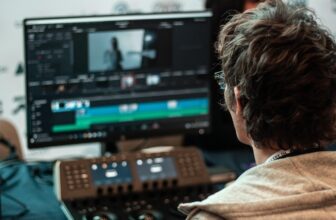
In today’s fast-paced digital workplace, clear communication, efficient training, and seamless collaboration are critical to business success. One tool that has quietly become indispensable across industries is screen recording. Once seen as a niche utility, screen recording is now a core business resource used by startups, enterprises, educators, marketers, and remote teams alike.
In this blog, we explore 10 compelling reasons why screen recording is essential for modern businesses, and how it can transform productivity, communication, and growth.
1. Improves Internal Communication and Clarity
Miscommunication is one of the biggest productivity killers in business. Long emails and text-based instructions can be misunderstood or ignored.
Screen recording allows teams to:
- Show processes visually instead of explaining them in writing
- Demonstrate workflows step by step
- Reduce back-and-forth clarification
A short screen-recorded walkthrough often replaces multiple emails and meetings, saving time and reducing confusion.
2. Makes Employee Training Faster and More Effective
Traditional training methods can be time-consuming and inconsistent. Screen recording enables businesses to create reusable training content that delivers the same message every time.
Benefits include:
- On-demand learning for new hires
- Consistent onboarding across departments
- Easy updates when processes change
Employees learn faster by seeing real systems in action, improving retention and confidence.
3. Supports Remote and Hybrid Workforces
With remote and hybrid work becoming the norm, screen recording bridges the communication gap between distributed teams.
Screen recordings help:
- Explain tasks across different time zones
- Share updates asynchronously
- Reduce reliance on live meetings
This flexibility allows teams to collaborate effectively without scheduling conflicts.
4. Enhances Customer Support and Troubleshooting
Customer support teams use screen recordings to explain solutions more clearly and efficiently.
Screen recording allows support agents to:
- Visually demonstrate fixes
- Record step-by-step guides for common issues
- Reduce support tickets and repeat queries
Customers appreciate clear, visual instructions that help them resolve issues quickly.
5. Boosts Sales Presentations and Product Demos
Sales teams can use screen recording to create engaging, personalized demos that resonate with prospects.
Key advantages:
- Show real product functionality
- Tailor demos to specific customer needs
- Reuse high-quality demo content
Screen-recorded demos allow prospects to revisit presentations at their own pace, increasing conversion rates.
6. Streamlines Software Development and QA Processes
For development and quality assurance teams, screen recording is invaluable.
It helps teams:
- Capture bugs and errors accurately
- Provide visual context to developers
- Document testing processes
Instead of lengthy explanations, a short recording shows exactly what went wrong, speeding up resolution.
7. Strengthens Knowledge Sharing and Documentation
Businesses often lose valuable knowledge when employees leave. Screen recording helps preserve institutional knowledge.
Use cases include:
- Documenting internal tools and systems
- Recording expert workflows
- Creating a knowledge library for teams
This ensures continuity and reduces dependency on individual employees.
8. Improves Marketing and Content Creation
Marketing teams rely on screen recording to create engaging digital content.
Popular uses include:
- Tutorial videos and how-to guides
- Product walkthroughs
- Webinars and explainer videos
Visual content builds trust, improves engagement, and increases brand credibility across platforms.
9. Saves Time and Reduces Operational Costs
By reducing the need for repeated explanations, live meetings, and one-on-one training, screen recording delivers measurable cost savings.
Businesses benefit from:
- Faster onboarding
- Reduced support workload
- Improved productivity
One recorded explanation can serve hundreds of viewers without additional effort.
10. Enables Better Compliance and Process Auditing
In regulated industries, documenting processes is essential. Screen recording provides a visual audit trail that supports compliance and quality assurance.
Applications include:
- Demonstrating adherence to procedures
- Training staff on compliance requirements
- Maintaining transparent operational records
This visual documentation can be invaluable during audits and reviews.
Choosing the Right Screen Recording Tool for Business
To maximise benefits, businesses should select tools that offer:
- High-quality video and audio
- Secure storage and sharing options
- Easy editing and annotation features
- Compatibility with existing systems
User-friendly tools ensure wider adoption across teams.
Best Practices for Business Screen Recording
To create effective recordings:
- Keep videos concise and focused
- Use clear narration and visuals
- Highlight key actions and steps
- Organise recordings in a searchable library
Good structure improves usability and impact.
Screen Recording as a Strategic Business Asset
Screen recording is no longer just a convenience, it’s a strategic asset. Businesses that embrace visual communication gain a competitive edge by:
- Training employees faster
- Supporting customers better
- Communicating more clearly
- Scaling operations efficiently
As digital collaboration continues to evolve, screen recording will remain a cornerstone of effective business communication.
Final Thoughts
Screen recording has become essential for businesses because it simplifies communication, enhances learning, and saves time across multiple functions. From onboarding and customer support to sales, development, and compliance, its applications are vast and impactful.
By integrating screen recording into daily workflows, businesses can operate smarter, communicate better, and grow faster in an increasingly digital world.