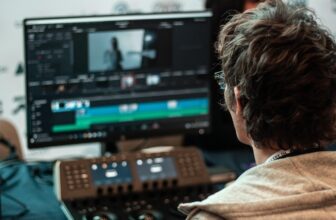
In today’s digital landscape, visual content plays a crucial role in capturing attention and engaging audiences. Bloggers, educators, marketers, and content creators increasingly rely on screen recordings to explain ideas, demonstrate tutorials, review products, and share knowledge effectively. Whether you are creating educational videos, software demonstrations, or social media tutorials, screen recording tools make the process simple and professional.
With the rise of video-based platforms and online learning, screen recording apps have become essential tools for content creators. They allow you to record your screen, capture audio, and even add annotations or webcam footage to create engaging visual content.
In this guide, we explore ten of the best screen recording apps that can help enhance your blog posts and social media content.
1. OBS Studio
OBS Studio is one of the most popular screen recording tools used by content creators and live streamers worldwide. It is a free and open-source platform that offers powerful recording and broadcasting features.
The software allows users to capture high-quality screen recordings, switch between multiple scenes, and integrate webcam feeds. Because of its flexibility, OBS Studio is widely used for tutorial videos, gaming content, webinars, and live streaming.
Although beginners may need some time to learn the interface, the advanced features make it a favourite among professional creators.
2. Camtasia
Camtasia is a premium screen recording and video editing tool designed for professionals who want polished content. It allows users to record their screens, edit videos, add effects, and include animations all within the same platform.
The software is especially useful for creating training videos, online courses, and product demonstrations. Its intuitive interface makes it easy to trim clips, add captions, and insert transitions.
Although it is a paid tool, many bloggers and marketers consider Camtasia a worthwhile investment due to its comprehensive editing capabilities.
3. Loom
Loom has become extremely popular among remote workers, educators, and content creators. It allows users to quickly record their screen, webcam, or both simultaneously.
One of Loom’s biggest advantages is its simplicity. After recording a video, users can instantly generate a shareable link, making it easy to distribute content across blogs, emails, or social media.
Loom is particularly useful for quick tutorials, feedback videos, and product walkthroughs.
4. Screencast-O-Matic
Screencast-O-Matic is a user-friendly screen recorder that offers both free and paid versions. It allows users to capture screen activity, webcam footage, and audio with minimal setup.
The platform also includes basic editing tools such as trimming, captions, overlays, and music integration. These features make it suitable for educational videos, online tutorials, and blog demonstrations.
Its straightforward interface makes it ideal for beginners who want a simple recording solution.
5. Bandicam
Bandicam is known for its ability to record high-quality videos with minimal impact on system performance. This makes it particularly popular among gamers and software reviewers who need to capture detailed screen activity.
The software supports recording of full screens, specific areas, and even external devices such as webcams and consoles. Bandicam also allows users to add real-time drawing annotations during recordings.
For bloggers creating technical or gaming-related content, Bandicam can deliver excellent video quality.
6. Snagit
Snagit is a versatile tool designed for both screenshots and screen recordings. It is widely used by bloggers, marketers, and educators who need to capture quick visual explanations.
The software allows users to record short screen videos and convert them into GIFs for use in blog posts or social media. Its annotation tools make it easy to highlight key areas and add text explanations.
Snagit is particularly useful for creating visual guides and step-by-step tutorials.
7. ScreenPal
ScreenPal is another excellent screen recording tool designed for educators and content creators. It offers screen capture, video editing, and hosting features in one platform.
Users can record their screens, add voice narration, and enhance videos with captions or transitions. The platform also includes options for uploading videos directly to hosting services.
For bloggers creating educational or instructional content, ScreenPal offers a convenient and reliable solution.
8. Movavi Screen Recorder
Movavi Screen Recorder is known for its clean interface and powerful recording capabilities. It allows users to capture webinars, tutorials, live streams, and video calls.
The software also offers scheduling options, allowing recordings to start automatically at a specific time. This feature is particularly useful for capturing online events or live presentations.
Movavi’s editing tools help creators trim clips, remove unwanted sections, and export videos in various formats.
9. Apowersoft Screen Recorder
Apowersoft provides a web-based screen recording solution that works without installing heavy software. Users can quickly start recording their screen directly from the browser.
This tool supports full-screen recording, region selection, and webcam integration. It also allows users to add annotations and export videos in multiple formats.
Because of its accessibility and ease of use, Apowersoft is a convenient option for bloggers who want quick recordings without complex setup.
10. FlashBack Express
FlashBack Express is a free screen recording tool that offers many features typically found in premium software. It allows users to record screens, webcams, and audio without watermarks.
The software is widely used for tutorials, educational videos, and software demonstrations. Users can easily export recordings to popular video platforms or edit them using the optional pro version.
FlashBack Express provides a solid starting point for creators who want professional recordings without paying for expensive tools.
Why Screen Recording Is Important for Content Creators
Screen recording tools offer several advantages for bloggers and social media creators. Instead of explaining complex ideas using only text, creators can visually demonstrate processes and solutions.
Video-based content is often easier for audiences to understand, especially when explaining technical concepts or step-by-step instructions.
Screen recordings can be used for:
- Software tutorials
- Product reviews
- Online courses
- Social media tips
- Website walkthroughs
- Educational guides
Adding video content to blogs also improves engagement and can increase the time visitors spend on a page.
Tips for Creating High-Quality Screen Recordings
Using a good screen recording app is only part of the process. To create professional-looking videos, content creators should also follow some best practices.
First, plan the recording in advance by outlining key points and preparing the screen layout. This helps avoid unnecessary pauses or mistakes.
Second, use a quality microphone to ensure clear audio narration. Good sound quality significantly improves the overall viewing experience.
Third, keep recordings concise and focused. Short and informative videos are more effective for blog readers and social media audiences.
Finally, edit the recording to remove mistakes and add captions or highlights that guide viewers through the content.
Conclusion
Screen recording tools have become essential for modern content creators who want to produce engaging and informative videos. Whether you are running a blog, teaching online courses, or sharing tips on social media, screen recordings allow you to communicate ideas more effectively.
From powerful professional tools like OBS Studio and Camtasia to beginner-friendly options like Loom and Snagit, there are many apps available to suit different needs and budgets.
By choosing the right screen recording software and applying good recording practices, bloggers and digital creators can significantly enhance their content, attract more viewers, and build stronger connections with their audience.